Procédure projet SAN BORG CLIENT afpa
Auteur : Maxime COURBOULIN | Date : 2026-03-18 09:00:00
Prérequis à la mise en place de la procédure :
Table adressage IP
Connexion internet
Gluster
Section titled “Gluster”IP static
Section titled “IP static”nano /etc/network/interfaces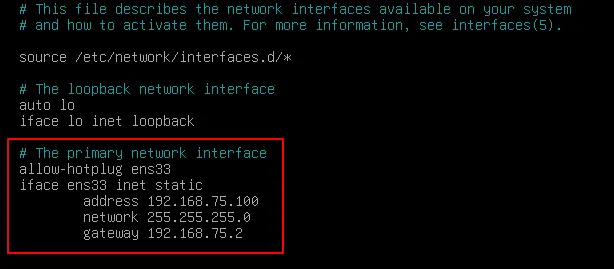
Définition du nom de la machine
Section titled “Définition du nom de la machine”sudo hostnamectl set-hostname glusternano /etc/hosts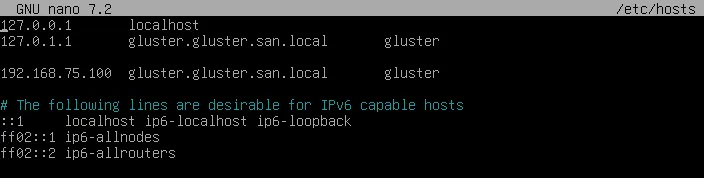
Installation
Section titled “Installation”sudo apt update && sudo apt upgrade –ysudo apt install glusterfs-server –ysudo systemctl enable glusterd
sudo systemctl start glusterdVérification
Section titled “Vérification”sudo systemctl status glusterd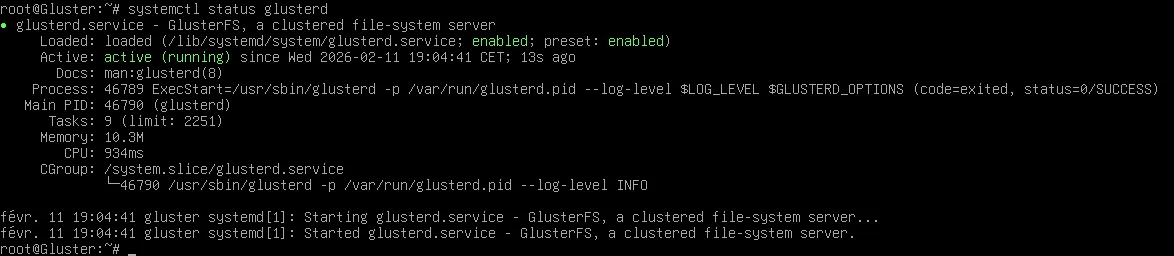
Création du dossier brick
Section titled “Création du dossier brick”sudo mkdir -p /data/gluster/brick1Gestion des droits
Section titled “Gestion des droits”Nouveau disque
Section titled “Nouveau disque”lsblk

fdsik /dev/sdb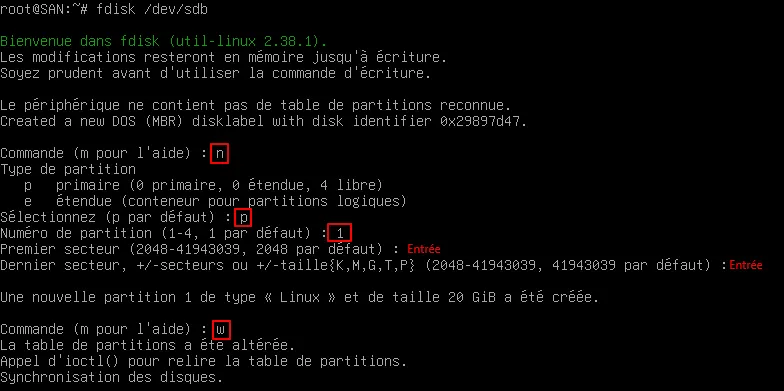
Vérification
Section titled “Vérification”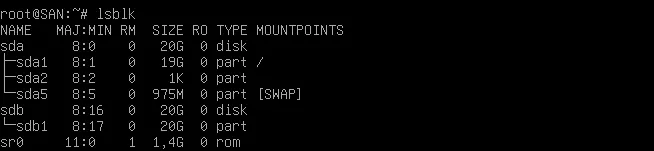
Formatage xfs
Section titled “Formatage xfs”(adapté pour le projet)
mkfs.xfs -i size=512 /dev/sdb1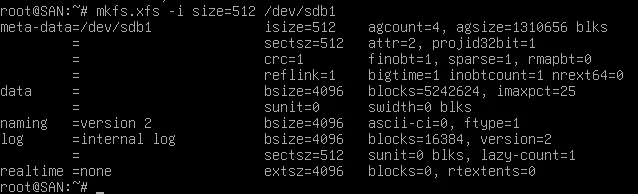
Créer un point de montage
Section titled “Créer un point de montage”mkdir -p /data/brick1Monter le disque
Section titled “Monter le disque”mount /dev/sdb1 /data/brick1Vérification
Section titled “Vérification”df -h /data/brick1
Rendre le montage permanent
Section titled “Rendre le montage permanent”Récupère l’UUID
Section titled “Récupère l’UUID”blkid /dev/sdb1
Ajoute dans /etc/fstab
Section titled “Ajoute dans /etc/fstab”UUID=xxxxx /data/brick1 xfs defaults 0 0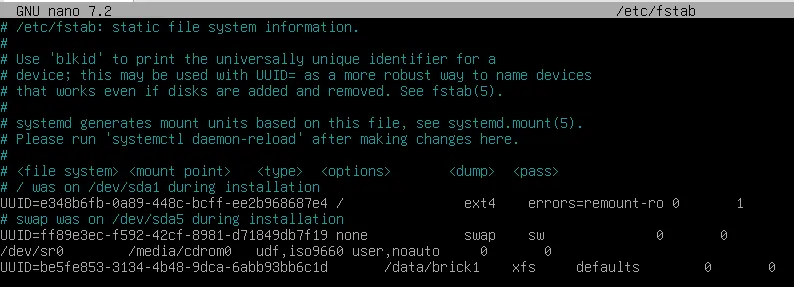
mount -ane renvoie rien en cas de bon fonctionnement
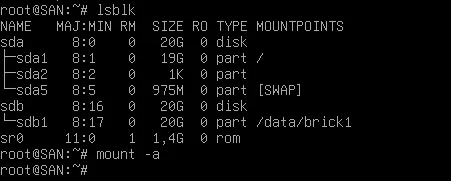
Vérification finale GlusterFS
Section titled “Vérification finale GlusterFS”df -h /data/brick1Réponse visée :

Création de mon volume
Section titled “Création de mon volume”gluster volume create monvolume SAN:/data/brick1 forcegluster volume start monvolume
Vérifie
Section titled “Vérifie”gluster volume info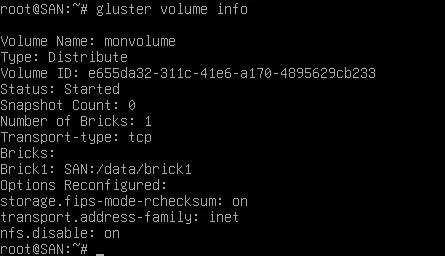
gluster volume status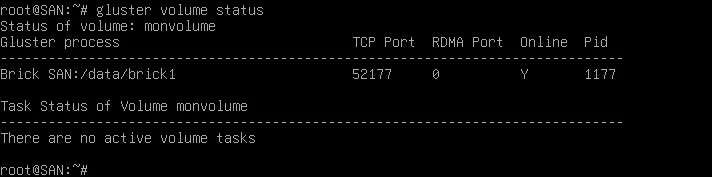
Installation de FUSE
Section titled “Installation de FUSE”Apt install fuse -yModprobe fuseLsmod | grep fuse
Machine cliente
Section titled “Machine cliente”IP Statique
Section titled “IP Statique”nano /etc/network/interfaces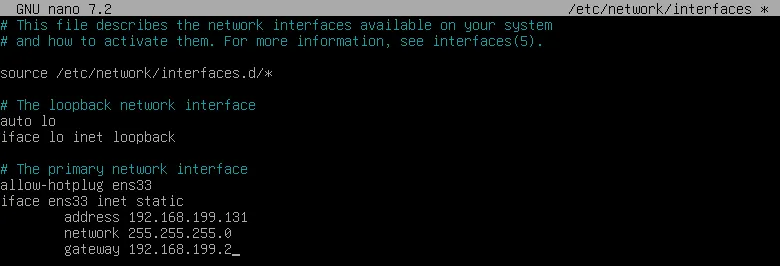
Mettre à jour /etc/hosts avec les interlocuteurs
Section titled “Mettre à jour /etc/hosts avec les interlocuteurs”nano /etc/hosts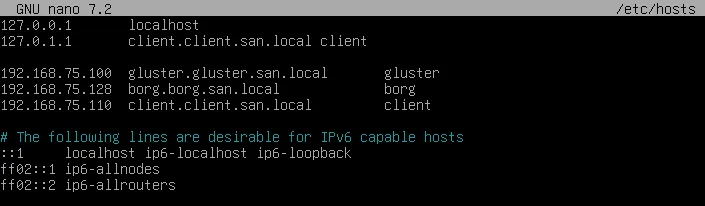
Installer le client gluster
Section titled “Installer le client gluster”sudo apt install glusterfs-client –yCréer un point de montage
Section titled “Créer un point de montage”sudo mkdir -p /mnt/glusterMonter le volume Gluster
Section titled “Monter le volume Gluster”sudo mount -t glusterfs 192.168.199.100:/gv0 /mnt/gv0ls /mnt/gv0 # vérifier que c'est accessibleTester le montage du volume Gluster
Section titled “Tester le montage du volume Gluster”ls /mnt/gluster # vérifier si le volume est accessibletouch /mnt/gluster/test.txt # tester l’écriturels -l /mnt/gluster # vérifier que le fichier a été crééBorgBackup
Section titled “BorgBackup”IP statique
Section titled “IP statique”nano /etc/network/interfaces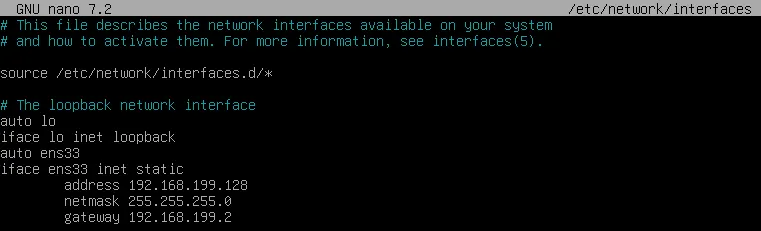
Mettre à jour /etc/hosts avec les interlocuteurs
Section titled “Mettre à jour /etc/hosts avec les interlocuteurs”nano /etc/hosts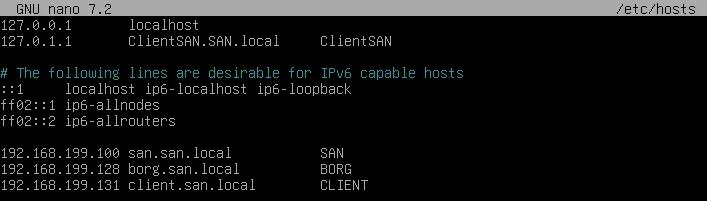
Installation
Section titled “Installation”sudo apt updatesudo apt install borgbackup –yInstallation client gluster
Section titled “Installation client gluster”sudo apt install glusterfs-client –yTest ping borg > gluster
Section titled “Test ping borg > gluster”ping glusterping gluster.gluster.san.local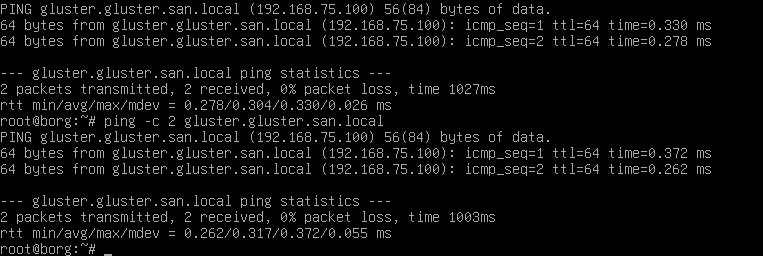
Créer un point de montage
Section titled “Créer un point de montage”sudo mkdir -p /mnt/glusterMonter le volume Gluster
Section titled “Monter le volume Gluster”sudo mount -t glusterfs 192.168.75.100:/gv0 /mnt/glusterls /mnt/gluster # vérifier que c'est accessible